
Reporting and Dashboards
Quick Payable's reporting is built on native Salesforce reports and dashboards, not a separate analytics tool, so anyone who already knows Salesforce reporting can build on top of what's included here without learning a new system.
Standard Reports and Dashboards Included
- AP Dashboard: a real-time view of invoice status, upcoming payments, and spend by vendor.
- Spend by vendor: breaks down invoice volume and dollar amount by vendor.
- Approval cycle time: shows how long invoices spend at each approval stage, useful for spotting bottlenecks.
- Payment status: shows which invoices are approved and awaiting payment versus already paid.
Not included in Quick Payable: an aging report (invoices grouped into current, 30, 60, and 90+ day buckets) is available in Quick Receivable, not Quick Payable. Spend reporting in Quick Payable breaks down by vendor only, a department or cost-center breakdown isn't currently available.
Building a Custom Report
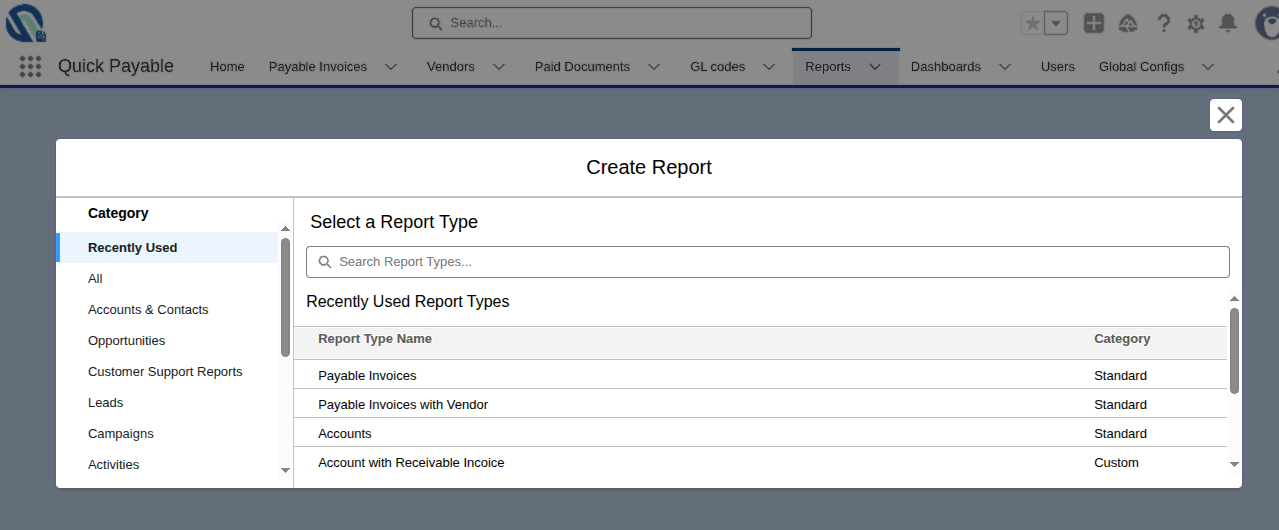
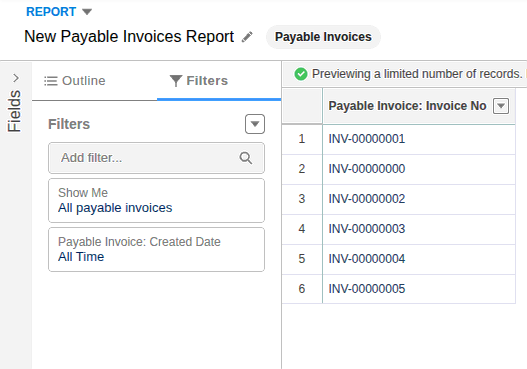
- From the Reports tab, create a new report and choose a report type based on Invoices, Vendors, or Approvals.
- Add filters for the specific slice of data you need, such as date range, vendor, or status.
- Group rows by a field like vendor or approval stage to summarize instead of listing every record.
- Add summary fields (sum, average, count) for the numbers you actually need, such as total spend or invoice count.
- Save the report with a clear name so others on your team can find and reuse it.
Building a Custom Dashboard
- Create a new dashboard and add the reports you want to visualize as components.
- Choose a chart type that fits the data, a bar chart for spend by vendor, a line chart for trends over time, a table for detailed lists.
- Set the dashboard's running user if you want everyone viewing it to see the same data regardless of their own record access.
- Share the dashboard with the relevant role or group so the right people can see it without you rebuilding it for each person.
Scheduling and Automated Email Alerts
- Schedule a report to refresh and email itself to specific users on a recurring basis, such as a weekly aging report to your AP manager.
Not included in Quick Payable: conditional alerts for invoices approaching a due date or sitting unapproved past a threshold aren't currently supported. Scheduling is limited to refreshing and emailing a report on a recurring basis.
Key Metrics to Track
| Metric | Why it matters |
|---|---|
| Approval cycle time | Shows where invoices are getting stuck and with whom |
| Invoice volume by vendor | Highlights your highest-volume relationships worth optimizing first |
| Exception or duplicate rate | Tracks how often invoices need manual intervention |
| On-time payment rate | Affects vendor relationships and any early-payment discount terms |
| Cost per invoice | A common benchmark for AP efficiency over time |
These are the categories most finance teams track, your specific targets will depend on your own baseline before automation and your industry.
Common Report Types by Role
- QP Staff: invoices pending review, invoices with flagged exceptions.
- QP Staff / QP Admin (based on Monetary Limit): invoices pending my approval, my approval history.
- QP Admin: approval cycle time, exception rate, vendor spend summaries.
Exporting Data
Any report can be exported to CSV or Excel for offline analysis or to share with systems outside Salesforce.
Need a specific report built?