
Salesforce Accounts Payable Automation Software
Manage Salesforce accounts payable faster with Quick Payable. Automate invoice capture, purchase order matching, approvals, and payment workflows, then track every invoice from receipt to payment inside Salesforce.

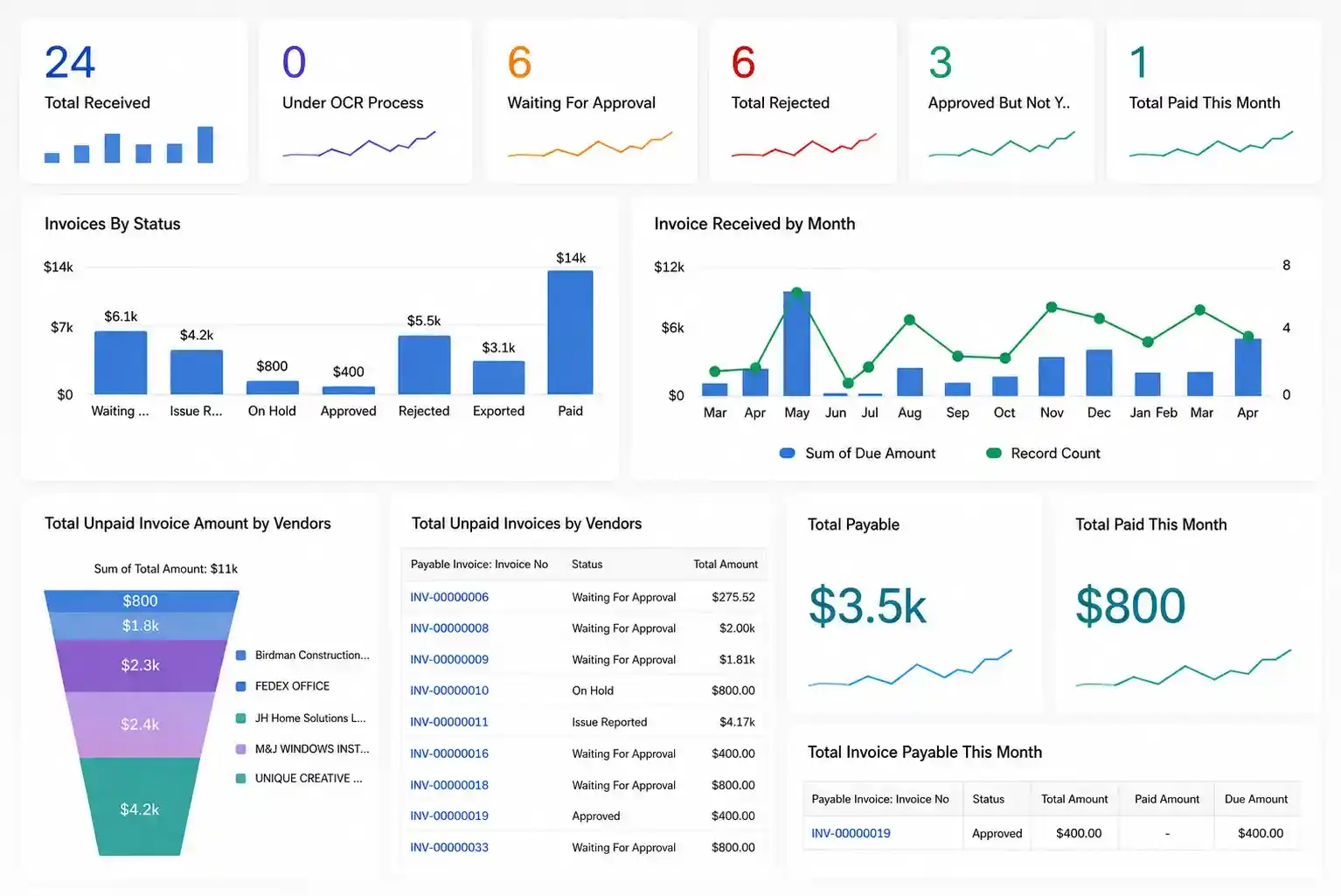 Invoice Status
Approval Workflows
Vendor Balances
Payment Activity
Invoice Status
Approval Workflows
Vendor Balances
Payment Activity
AP Automation Built Natively on Salesforce
Many AP automation platforms run as separate systems that connect with Salesforce through integrations. Quick Payable runs inside Salesforce, keeping your AP data, workflows, and reporting connected to the platform your team already uses.
Your existing Salesforce roles, permissions, and security controls apply to your AP process, keeping everything in one familiar environment.
Runs Inside Your Salesforce Org
- No separate AP platform to manage
- Inherits your existing user permissions
- AP reports live alongside your other Salesforce data
- Listed on Salesforce AppExchange
Everything Your AP Team Needs to Automate Invoice Processing
Quick Payable combines AI invoice processing, approval automation, exception handling, vendor management, and AP reporting in one platform.
AI OCR Invoice Capture
Automatically extract invoice data from emails, PDFs, and scanned documents using AI-powered OCR, reducing manual data entry.
Invoice Matching & Validation
Match invoice data with purchase orders and vendor records to identify mismatches before approval.
Automated Approval Workflows
Route invoices to the right approvers based on vendor, department, amount, or approval rules.
Duplicate Invoice Detection
Identify potential duplicate invoices before approval to help prevent duplicate payments and costly errors.
Vendor Invoice Management
Manage vendor invoice records, invoice history, and payment status from one centralized platform.
Real-Time AP Reporting & Visibility
Track invoice approvals, spending, payment status, and AP activity with Salesforce dashboards and reports.
From Invoice to Approval
Less time keying in invoice details, more time reviewing exceptions and approving what actually needs a decision.
Receive
Invoices arrive from your supplier email inbox, with manual upload available for one-off documents.
Extract
AI-powered OCR reads PDFs, scans, and images to capture invoice numbers, due dates, tax amounts, PO references, and line items automatically.
Validate
Extracted data is checked against purchase orders, vendor records, and your approval rules, flagging duplicates and mismatches before they reach approval.
Approve
Invoices route to the right approver based on department, vendor, or amount. Invoices above an approval limit can automatically move to the configured manager.
Sync
Approved invoice data can sync with your ERP or accounting system through supported integrations, APIs, or file-based options.
Track
Track invoice and payment status through Salesforce dashboards and reports.
Fits Into Your Existing Finance Stack
Quick Payable connects your Salesforce AP workflow with the accounting and ERP systems your finance team already uses, through a direct sync or the Salesforce API.
How Quick Payable Transformed AP for Pella Windows & Doors
Pella Windows & Doors needed better control over invoice processing and payment cycles. Quick Payable helped the team streamline invoice capture, automate approvals, and improve visibility across the AP process.

Pella Windows & Doors Eliminated Late Payment Penalties
Pella Windows & Doors faced increasing vendor complaints due to delayed invoice payments, resulting in high penalty costs and operational inefficiencies.
By implementing Quick Payable, their finance team streamlined invoice processing, automated approvals, and gained full visibility into payment cycles.
Secure, Controlled AP Operations
Quick Payable runs on Salesforce, so your AP process inherits the controls your finance and compliance teams already rely on.
Role-Based Access
Control who can view, process, and manage AP data using Salesforce permissions and Quick Payable roles.
Monetary Approval Limits
Invoices above a user's approval limit route automatically to their configured manager, no manual escalation needed.
AppExchange Reviewed
Distributed as a Salesforce AppExchange managed package, which passes Salesforce's own security review before publication.
Salesforce Security Model
Quick Payable runs on Salesforce and can use applicable Salesforce security controls for user access and data protection.
Why Quick Payable for Salesforce?
Quick Payable helps finance teams simplify AP inside Salesforce: less manual work, faster approvals, and a clearer view of invoice and payment status.
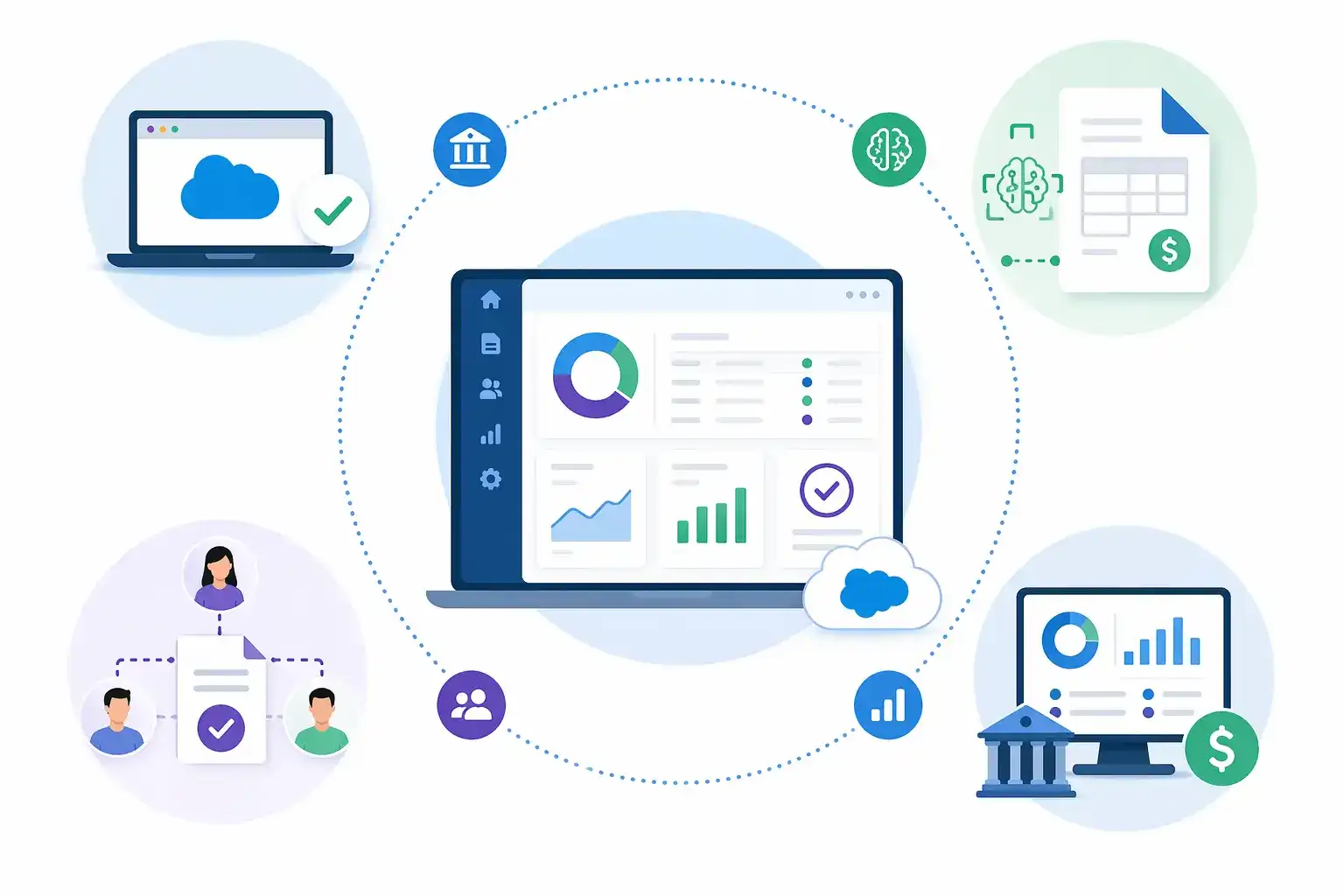
Built for Salesforce-Native Accounts Payable
Manage your entire Salesforce Accounts Payable process from invoices and approvals to vendors and reporting without leaving Salesforce.
AI-Driven Invoice Processing
Capture and process invoices automatically with AI-powered OCR technology.
Flexible Approval Workflows
Route invoices to the right approvers using custom business rules.
Centralized Financial Visibility
Track invoices, approvals, payments, and spending from one dashboard.
Vendor Invoice Management
Manage vendor records, invoice history, and payment status in one place.
What Finance Teams Say About Quick Payable
See what customers say about using Quick Payable to simplify invoice processing and automate accounts payable in Salesforce.
Quick Payable makes it easier to automate repetitive accounts payable tasks and keep the invoice process organized.
Bruce Hartwell
Quick Payable saves our team time by automating repetitive tasks and giving us a clearer view of invoice and payment activity.
Jacob Doherty
Quick Payable works well with Salesforce and helps our finance team automate invoice processing without adding another platform to manage.
Floyd Balor
Quick Payable has helped us reduce the time spent processing invoices. The workflow is simple, efficient, and easy for our team to use.
Eddy Stones
Quick Payable is straightforward to use and has made our day-to-day accounts payable work easier to manage.
John Lannington
Quick Payable helps our team simplify routine AP tasks and manage the invoice process more efficiently.
Grick Lavoie
Quick Payable makes our invoice process easier by keeping our AP work inside Salesforce and reducing manual effort.
Benjamin Harris
Quick Payable gives our team the automation we need to manage a high volume of invoices more efficiently.
Nathan Dyre
See how Quick Payable can automate invoice processing, approvals, and AP workflows for your finance team.
Try it free for 15 days. No credit card required
Invoice Data Accuracy
Higher Efficiency
Cost Savings
FAQs
What does Quick Payable automate?
Quick Payable automates invoice capture, invoice matching, approval routing, duplicate detection, vendor management, and AP reporting.
Can Quick Payable pay invoices directly?
Yes. Once an invoice is approved, it can be paid directly from Quick Payable through a built-in BILL payment integration, using connected bank accounts or cards.
Does Quick Payable support invoice matching?
Yes, including configurable 2-way and 3-way purchase order matching, checking invoice line items against PO details and, for 3-way matching, the corresponding Goods Receipt.
Does Quick Payable support multi-entity or multi-company AP?
Yes. Approval hierarchies, vendor records, and reporting can be kept separate by entity or subsidiary, with reporting consolidated centrally for finance leadership.
Can vendors submit invoices directly?
Yes, through a separate, authenticated vendor portal that supports vendor-submitted invoices and payment status checks.
Is Quick Payable suitable for small or growing finance teams?
Yes. It's built to support both small teams handling a lighter invoice volume and larger, multi-entity organizations, with pricing that scales as you grow.