
Accounts Payable Workflow Automation Software
Let software handle the repeat work in your AP process: reading invoices, catching duplicates, matching POs, coding, and routing approvals. Your team steps in only where judgment matters. Quick Payable runs the whole workflow inside Salesforce.
Book a Free DemoKey Takeaways
- An AP workflow is the eight steps every vendor invoice goes through, from intake to recording. Automation runs the repeat steps; people handle the decisions.
- The average AP team spends $9.40 and 9.2 days per invoice. Best-in-class teams spend $2.78 and 3.1 days (Ardent Partners).
- At 500 invoices a month, closing that gap is worth about $39,700 a year.
- Spend approval, disputes, new vendors, bank detail changes, and payment release should stay with people.
- Track five KPIs to know if your workflow is getting better: cost per invoice, cycle time, touchless rate, exception rate, and on-time payments.
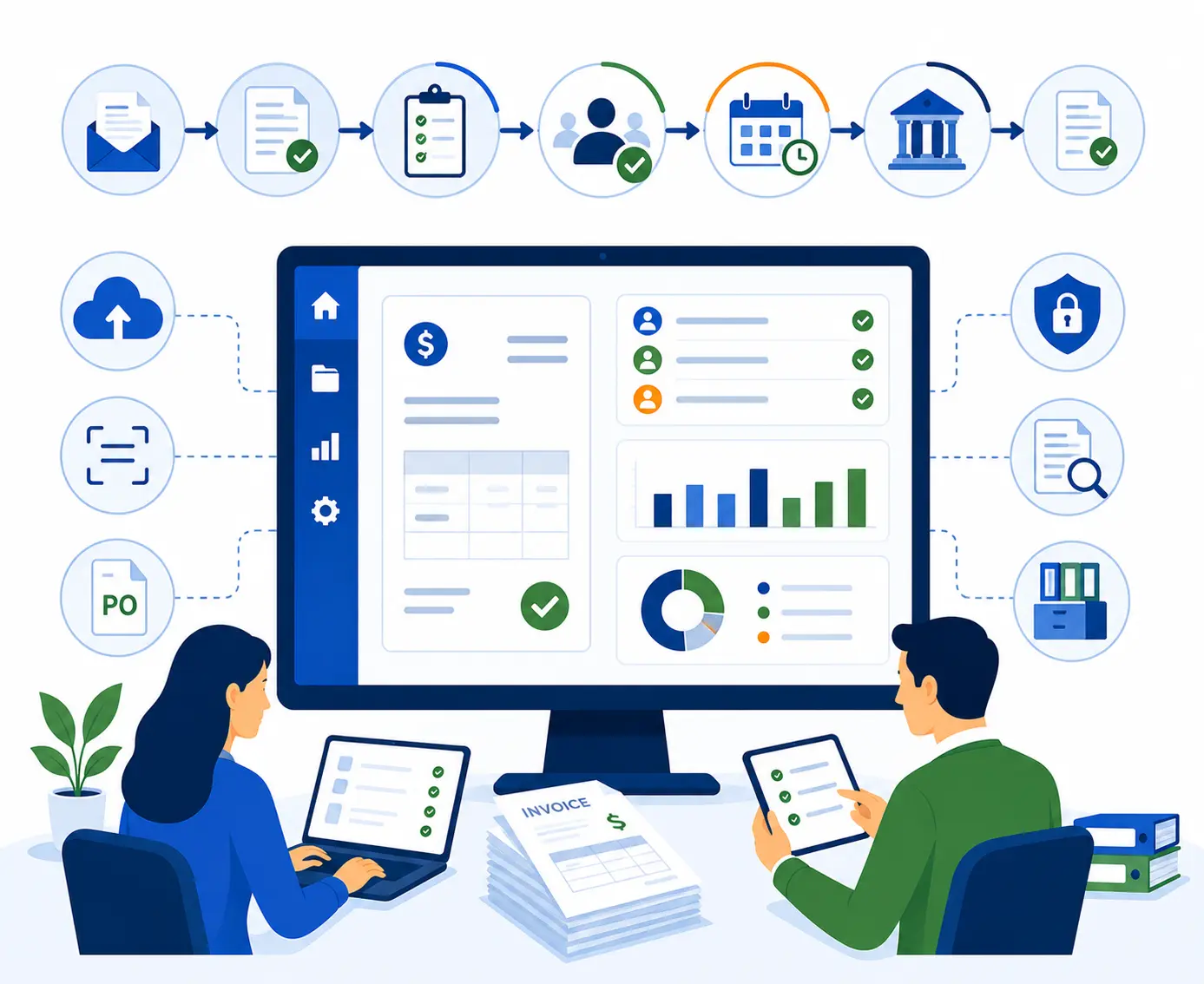
What Is an Accounts Payable Workflow?
An accounts payable workflow is the set of steps every vendor invoice goes through, from the day it arrives to the day it's paid and filed. It spells out who does each step and in what order, so every invoice is handled the same way.
Accounts payable workflow automation means software runs the repeat steps for you. It reads the invoice, checks for duplicates, matches it to the PO, applies GL codes, sends it to the right approvers, and logs every action. Your team handles the exceptions and the decisions.
If you'd like a visual of a manual process first, see our accounts payable process flow chart.
The Accounts Payable Workflow, Step by Step
Here are the eight steps of a typical AP workflow and what automation does at each one.
| Step | Manual way | Automated way | Learn more |
|---|---|---|---|
| 1. Intake | Invoices land in many inboxes, desks, and mailrooms | One queue for all invoices, by email or upload | Paperless AP |
| 2. Data capture | Someone types each invoice into the system | AI OCR reads vendor, dates, line items, and totals | AI OCR |
| 3. Checks | Clerk pulls the PO and compares by eye | Duplicates auto-rejected; 2-way or 3-way PO match | Invoice processing |
| 4. GL coding | Coded by hand on every invoice | Codes applied by vendor or line item | GL code management |
| 5. Approval | Forwarded by email and chased | Rules route to the right approvers, with backups | Invoice approval |
| 6. Exceptions | Stuck in an inbox with no owner | Held, reported, rerouted, and tracked on the invoice | See below |
| 7. Payment | Re-keyed into the ERP | Approved invoices exported to the ERP for the payment run | ERP integration |
| 8. Record and report | Paper files and spreadsheets | Searchable history, dashboards, and audit trail | Invoice management |
Two steps often sit around these eight. Before intake, new vendors get set up and checked. After recording, AP reconciles balances at month-end. Our guide to accounts payable reconciliation covers that last step.
Who Does What in an Automated AP Workflow
Automation doesn't remove people from AP. It changes what they spend time on. This map shows who owns each step once the workflow is automated.
| Decision | Why it stays manual |
|---|---|
| Approving spend | Only the budget owner knows if the work was needed and done |
| Resolving mismatches and disputes | Needs a call with the buyer or vendor |
| Approving new vendors | Fake vendors are a common fraud route |
| Confirming bank detail changes | Call the vendor at a number you already have on file |
| Releasing the payment run | Final control before cash leaves the business |
For how to split these duties on a small team, see our guide to accounts payable procedures.
What a Manual AP Workflow Costs
Research from Ardent Partners shows a wide gap between average AP teams and the best ones.
Example: 500 invoices a month
Average cost: 500 × $9.40 × 12 months = $56,400 a year
Best-in-class cost: 500 × $2.78 × 12 months = $16,680 a year
Gap: about $39,700 a year
These are industry benchmarks, not a guaranteed result. Your numbers depend on your volume, staff costs, and how many invoices need exceptions. Plug in your own figures with the AP cost calculator.
How to Handle AP Workflow Exceptions
Exceptions are invoices that can't follow the normal path. They take the most time in any AP workflow, so every type needs a clear owner and next step.
| Exception | Who owns it | Next step in Quick Payable |
|---|---|---|
| Duplicate invoice | Software | Auto-rejected, logged for review |
| Price doesn't match PO | Buyer | Hold, report issue, message buyer on the invoice |
| Quantity billed is more than received | Receiving or buyer | Hold until a receipt or credit memo comes in |
| No PO number | Budget owner | Route to the budget owner for approval |
| Wrong approver assigned | AP | Reroute, with the change logged |
| Approver out of office | Software | Sent to the named backup approver |
| Unreadable or missing data | AP clerk | Fix fields on the invoice, then release |
| Vendor bank details changed | AP manager | Stop and verify by phone before any payment |
Tip: Track which exception types show up most. If one vendor keeps sending price mismatches, the fix is usually an outdated PO price, not more review.
AP Workflow KPIs to Track
You can't tell if automation is working without a baseline. Measure these before you start and review them every month.
| KPI | How to measure | Benchmark |
|---|---|---|
| Cost per invoice | Total AP cost ÷ invoices processed | $9.40 average, $2.78 best-in-class |
| Invoice cycle time | Days from receipt to approval for payment | 9.2 days average, 3.1 best-in-class |
| Touchless rate | Invoices with no manual step ÷ all invoices | 32.6% average, 49.2% best-in-class |
| Exception rate | Invoices held or rerouted ÷ all invoices | Lower is better; track the trend |
| On-time payment rate | Invoices paid by due date ÷ invoices paid | Higher is better; track the trend |
Many teams also watch days payable outstanding (DPO) to see how long they hold cash before paying vendors. Our article on accounts payable on the balance sheet shows how to calculate it.
Key Features in Accounts Payable Workflow Software
What Quick Payable automates across your AP workflow.
AI Invoice Capture
AI OCR reads PDF, PNG, and scanned invoices, so nobody has to type them in.
Duplicate Auto-Reject
Duplicate invoices are caught and rejected before they reach approval.
2-Way and 3-Way Matching
Invoices checked against the PO and receiving record before anyone signs off.
GL Code Management
Codes set by vendor or line item, so costs land in the right account.
Multi-Level Approvals
Each approver has a monetary limit; bigger invoices move up the manager chain, with out-of-office backups.
Holds and Rerouting
Pause problem invoices, report the issue, message the approver, or send to someone else.
ERP Export
Approved invoices go to your ERP or accounting system for the payment run.
Dashboards and Reports
Custom dashboards, reports, and filters for the KPIs above.
Audit Trail and Access Control
Every action logged with the user and time; access set by Salesforce roles and profiles.
See the full list of Quick Payable features.
Quick Payable: AP Workflow Automation Inside Salesforce
Most AP tools sit outside your main systems, so data has to move back and forth. Quick Payable is built natively on Salesforce. Invoices, vendors, approvals, and reports live in the same org your team already uses, with the same logins and permissions. Learn more about Salesforce accounts payable automation.
Strong fit
- Your company already runs on Salesforce
- Invoices are typed in by hand
- Approvals stall in email
- You can't easily answer "where's this invoice?"
- Volume is growing faster than your AP team
Check first
- You don't use Salesforce
- You need a full general ledger, not just AP
- You want an outsourced team to do the work, not software
Quick Payable is built by Differenz System, a Salesforce consulting company since 2013 with ISO 27001:2022 certification. Setup guides are in the Quick Payable documentation. Comparing tools? See how Quick Payable compares.
How to Start Automating Your AP Workflow
You don't have to change everything on day one. This path keeps your team working as you switch over.
Measure your baseline
Count invoices per month and record the five KPIs above. These numbers are how you'll prove the change worked.
Map your current workflow
Write down each step, who does it, and where invoices get stuck. Fix the process on paper before you automate it.
Write your approval rules
Set dollar limits, approvers, and backups. See our invoice approval software page for an example approval matrix.
Pilot one department
Start with one team or invoice type for about a month. Adjust the rules as edge cases come up.
Train approvers
Show approvers how their part works. Most only need a few minutes to learn it.
Review and expand
Compare your KPIs to the baseline, fix the slowest step, then roll out to the next team.
Once the workflow is steady, clean invoices can move with almost no handling. That's the goal of touchless invoice processing.
See Your AP Workflow Automated in Salesforce
Book a Free DemoAccounts Payable Workflow Automation FAQs
What is an accounts payable workflow?
An accounts payable workflow is the set of steps every vendor invoice goes through, from the day it arrives to the day it is paid and filed. It spells out who does each step and in what order, so invoices are handled the same way every time.
What is accounts payable workflow automation?
It is software that runs the repeat steps of your AP workflow for you: reading invoices, checking for duplicates, matching to POs, applying GL codes, routing approvals, and logging every action. Your team handles the exceptions and decisions.
What are the steps in an accounts payable workflow?
Most AP workflows have eight steps: invoice intake, data capture, duplicate and PO checks, GL coding, approval, exception handling, payment in the ERP, and recording and reporting. Some teams add vendor onboarding at the start and month-end reconciliation at the end.
Which AP workflow steps should stay manual?
Keep people in charge of approving spend, resolving disputes and mismatches, approving new vendors, confirming vendor bank detail changes, and releasing payments. Software should prepare these decisions, not make them.
What is three-way matching in accounts payable?
Three-way matching checks that the vendor invoice, the purchase order, and the receiving record agree on items, quantities, and prices before the invoice is approved. Two-way matching checks only the invoice against the PO.
What KPIs should I track for my AP workflow?
Start with cost per invoice, invoice cycle time, touchless rate, exception rate, and on-time payment rate. Ardent Partners reports that average teams spend $9.40 and 9.2 days per invoice. Best-in-class teams spend $2.78 and 3.1 days.
How do I improve my accounts payable workflow?
Bring all invoices into one intake point, stop typing invoice data by hand, write a clear approval matrix with backups, match PO invoices before approval, give every exception an owner, and review your KPIs every month.
Does Quick Payable pay vendors?
Quick Payable prepares and approves invoices, then exports them to your ERP or accounting system, where your normal payment run takes place. Confirm your payment setup during the demo.
Do I need Salesforce to use Quick Payable?
Yes. Quick Payable is built natively on Salesforce, so invoices, vendors, approvals, and reports live in your Salesforce org and use its users and permissions.
What is the best accounts payable workflow software?
It depends on your systems and volume. Start with what you already use: if your company runs on Salesforce, a Salesforce-native tool like Quick Payable keeps AP in the same place. Compare options on approval rules, matching, exception handling, ERP connections, and price, and test each with your own invoices.
How long does it take to automate an AP workflow?
It depends on your invoice volume, approval rules, and ERP connection. Most teams start with one department or invoice type, run it for about a month, adjust the rules, and then roll it out to the rest of the business.
How much does Quick Payable cost?
Quick Payable is $100 per user per month, with a 15-day free trial. No credit card is required. See full pricing details.
Ready to Take the Busywork Out of AP?
Book a demo and bring your current workflow, even if it's a whiteboard sketch. We'll show you which steps Quick Payable can take off your team's plate.
$100 per user per month · 15-day free trial · No credit card required