
Invoice Approval Software for Salesforce
Stop forwarding invoices and chasing sign-offs. Quick Payable sends every vendor invoice to the right approver based on your rules, covers for people who are out, flags problems before anyone signs, and logs every decision, all inside Salesforce.
Book a Free DemoKey Takeaways
- Invoice approval software routes each vendor invoice to the right person, in the right order, and records who approved what and when.
- Approvals are where most invoices wait. The average AP team takes 9.2 days to process an invoice. The best teams take 3.1.
- Good routing starts with a clear approval matrix: who can approve how much, for which department, with or without a PO.
- Approvals are also a fraud control. Splitting entry and approval between different people makes fake or altered invoices harder to pay.
- Quick Payable handles routing, backups, holds, reroutes, and audit history inside Salesforce for $100 per user per month.
What Is Invoice Approval Software?
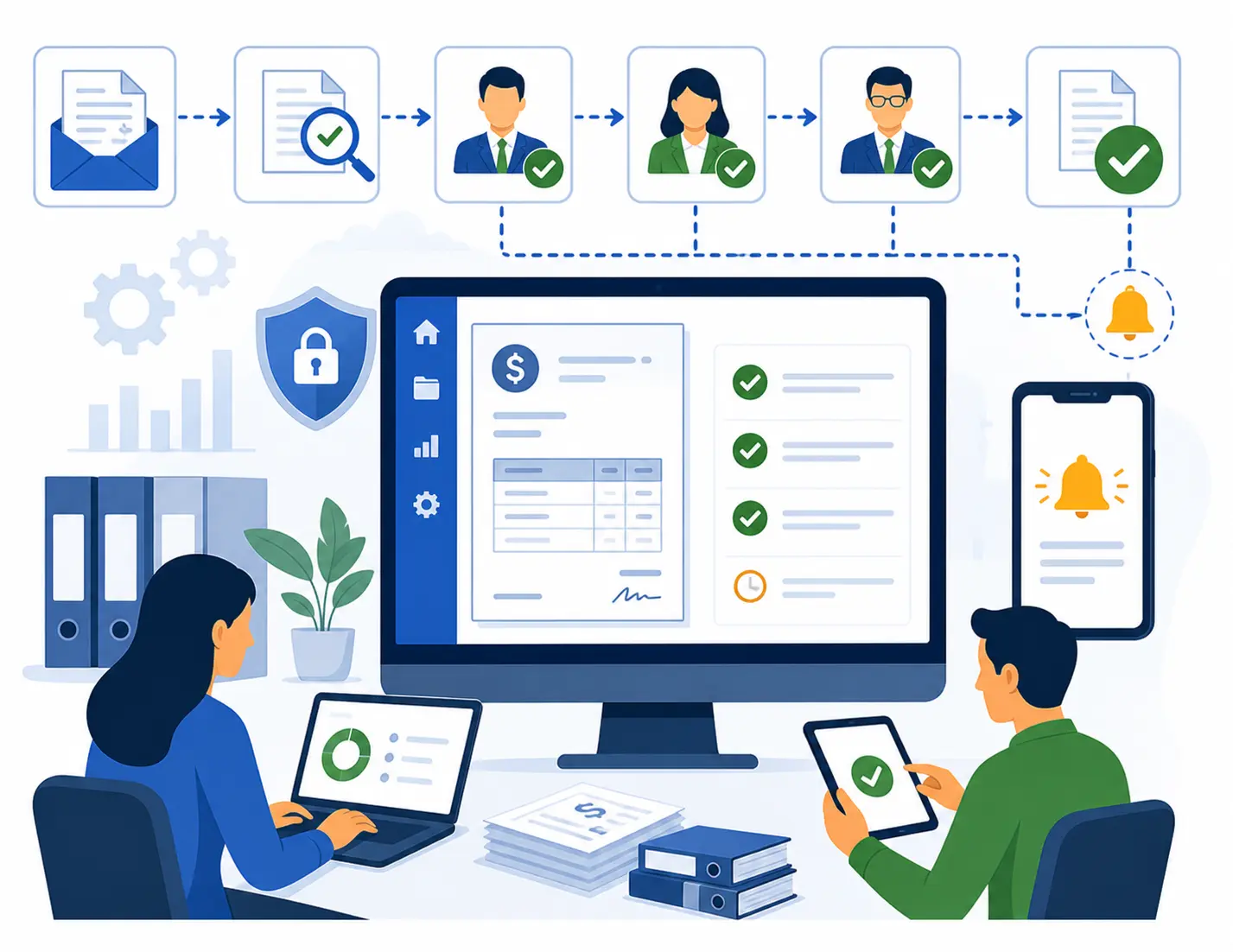
Invoice approval software sends each vendor invoice to the right person for sign-off, based on rules you set, and keeps a record of every decision. It replaces the old routine of forwarding PDFs, asking "did you approve this yet?", and digging through inboxes when the auditor calls.
An invoice approval workflow answers three questions for every bill: who needs to approve it, in what order, and what happens if something looks wrong.
Approval is one step in the bigger picture. For the full process from receipt to payment, including capture, matching, and storage, see invoice management software.
Why Invoice Approvals Matter
Approvals are where speed and control meet. Move too slow and you pay late fees and miss discounts. Move too loose and the wrong invoice gets paid.
On the risk side, fake and altered invoices are a common way criminals steal from businesses. The FBI's 2024 Internet Crime Report counted $2.77 billion in reported business email compromise losses. A real approval step, done by someone other than the person who entered the invoice, is one of the simplest defenses. Our guide to accounts payable procedures covers how to split those duties on a small team.
How an Automated Invoice Approval Workflow Works
Here's what happens to an invoice in Quick Payable from the moment it arrives until it's cleared for payment.
Invoice arrives
Vendors email invoices or AP uploads them. AI OCR reads the vendor, invoice number, dates, line items, and total.
Checks run before anyone signs
Duplicates are rejected automatically. The invoice is matched against the PO and receipt, and mismatches go on hold for AP.
Rules pick the approvers
Your approval rules look at amount, vendor, department, cost center, or project and build the approval chain.
Approvers get notified
Each approver gets an email with the invoice details and can approve, reject, or message AP from desktop or the Salesforce mobile app.
Backups and exceptions
If an approver is out, the invoice goes to their backup. If something is wrong, it can be held, reported, or rerouted with notes.
Cleared and recorded
Once every approval is in, the invoice goes to your ERP for payment. Every action is saved in the audit trail.
Invoices that pass every check and follow a standard approval path move with very little handling. That's the idea behind touchless invoice processing.
How to Set Up an Invoice Approval Matrix
Software can only route invoices as well as your rules allow. Before you automate, write down your approval matrix, also called a delegation of authority. Here's a common starting point for a mid-size U.S. company. Adjust the dollar limits to fit your size and risk.
| Invoice type | Amount | Who approves |
|---|---|---|
| PO invoice, full match | Under $2,500 | Department manager |
| PO invoice, full match | $2,500 to $25,000 | Department manager, then department head |
| PO invoice, full match | $25,000 to $100,000 | Department head, then controller |
| Any invoice | Over $100,000 | Controller, then CFO |
| Non-PO invoice | Any amount | Budget owner first, then the normal chain for that amount |
| New vendor's first invoice | Any amount | Add AP manager review |
| Recurring bill (rent, software) | Same as last month | Budget owner, one level |
Common Approval Bottlenecks and How Quick Payable Fixes Them
Most stuck invoices get stuck for the same handful of reasons. Here's how each one gets handled.
| Bottleneck | What usually happens | How Quick Payable handles it |
|---|---|---|
| Approver is on vacation | Invoice sits until they're back | Out-of-office approver gets it instead |
| Wrong approver | Forwarded around by email | AP reroutes it, with the change logged |
| Approver doesn't know what it's for | Separate email thread, then silence | Message AP right on the invoice |
| Price or quantity doesn't match the PO | Approved anyway, or caught after payment | Held before approval, with the issue reported |
| Same invoice sent twice | Both get approved | Second copy auto-rejected |
| Nobody knows what's pending | AP emails everyone | Dashboards show what's waiting and with whom |
Key Features of Quick Payable Invoice Approval Software
Everything your approvers and AP team need to keep invoices moving.
Custom Approval Rules
Route by amount, vendor, department, cost center, or project to match how your company actually works.
Multi-Level Approvals
Add approval levels for bigger or riskier invoices. Each level only sees the invoice when it's their turn.
Out-of-Office Approver
Name a backup so invoices keep moving when someone is away.
Holds and Rerouting
Pause a problem invoice or send it to a different approver, with the reason saved.
Messaging With Approvers
Ask and answer questions on the invoice itself, not in a side email thread.
Approval Tracking
See where every invoice sits and who has it, in real time.
Duplicate Auto-Reject
Duplicate invoices are caught and rejected before an approver ever sees them.
PO Matching
2-way and 3-way matching checks the invoice against the PO and receipt before sign-off.
GL Coding
GL codes set by vendor or line item, so approvers see where the cost will land.
Custom Email Templates
Approval request emails written your way, with the details approvers need.
Dashboards and Reports
Custom dashboards, reports, and filters for pending approvals, aging, and slow steps.
Audit Trail
Every approval, rejection, hold, and reroute is logged with the user and time.
See the full list of Quick Payable features.
Manual vs. Automated Invoice Approval
Email approvals work fine for a handful of invoices a month. Past that, they break down fast.
| Area | Email and spreadsheet approvals | Quick Payable |
|---|---|---|
| Who approves | AP decides each time, from memory | Rules pick the approvers |
| Approval order | Easy to skip a level | Each level enforced in order |
| Approver is out | Invoice waits | Goes to the backup |
| Questions | Side emails, lost context | Messages on the invoice |
| Status | "Did you approve that?" | Live status for every invoice |
| Duplicates and mismatches | Often caught after payment | Caught before approval |
| Proof of approval | Search old emails | Full audit trail on each invoice |
| More invoices | More chasing | Same rules, same effort |
Automation doesn't replace the approver's judgment. It just makes sure the right person sees the right invoice with the information they need, and that nothing gets lost along the way. To estimate what slow manual approvals cost you, try the AP cost calculator.
Benefits of Automated Invoice Approval
Faster Sign-Offs
Invoices go straight to the right person, so less time is spent figuring out who should approve.
Less Chasing
AP stops sending "just following up" emails. Status is visible to everyone.
Stronger Controls
Approval limits and split duties are enforced every time, not just when people remember.
On-Time Payments
Fewer stalled invoices mean fewer late fees and more early-payment discounts captured.
Audit-Ready Records
Every approval is tied to a person and a time, ready when auditors ask.
Handles Growth
More invoices and more approvers don't mean more manual coordination.
Who Uses Invoice Approval Software?
| Role | What changes for them |
|---|---|
| AP clerks and specialists | No more deciding who approves or chasing sign-offs |
| Department approvers | Only see invoices meant for them, with details and a way to ask questions |
| AP managers | See every pending invoice and fix slow spots quickly |
| Controllers | Approval limits and split duties enforced on every invoice |
| CFOs | Sign off only on large invoices, with full context |
| Auditors | Clear proof of who approved what, and when |
| Salesforce admins | Approvers use the same Salesforce users and roles |
What to Look for in Invoice Approval Software
Use this checklist when you compare tools. We've filled in the Quick Payable column so you know what to expect and what to confirm in a demo.
| Question to ask | Why it matters | Quick Payable |
|---|---|---|
| Can rules match my approval matrix? | Rigid tools force workarounds | Amount, vendor, dept, cost center, project |
| Does it support multiple approval levels? | Large invoices need more eyes | Yes |
| What happens when an approver is out? | Vacations stall approvals | Out-of-office backup |
| Can AP hold or reroute an invoice? | Exceptions need a clear path | Hold, report, reroute, reject |
| Can approvers ask questions on the invoice? | Keeps context in one place | Built-in messaging |
| Are duplicates and mismatches caught before approval? | Approvers shouldn't have to spot them | Auto-reject and PO matching |
| Can approvers approve on mobile? | Managers are often away from their desks | Via Salesforce mobile app |
| Are reminders and escalations automatic? | Keeps slow approvers moving | Confirm your setup in a demo |
| Is every action logged? | Audits and disputes | Full audit trail |
| Does it connect to my ERP? | Approved invoices need to get paid | Yes, confirm your system in a demo |
| Where does approval data live? | A separate system means another login | Inside your Salesforce org |
Why Quick Payable for Invoice Approvals
Quick Payable is built natively on Salesforce. Approvers use the Salesforce login they already have, approval rules use your existing users and roles, and invoices, vendors, and approval history stay in one org. Learn more about Salesforce accounts payable automation with Quick Payable.
Strong fit
- Your company already runs on Salesforce
- Approvals live in email and get lost
- You have more than one approval level
- Approvers are spread across departments or locations
- Auditors keep asking for proof of approval
Check first
- You don't use Salesforce
- You only need to approve a few invoices a month
- You need approvals for customer billing, not vendor bills
Quick Payable is built by Differenz System, a Salesforce consulting company since 2013 with ISO 27001:2022 certification. Setup guides are in the Quick Payable documentation.
How to Get Started With Automated Invoice Approvals
Measure where you are
Count invoices per month and how many days approval takes. Note which approvers or departments slow things down.
Write your approval matrix
Set dollar tiers, name approvers and backups, and decide how non-PO and new-vendor invoices are handled.
See it with your own invoices
Book a demo and bring a few real invoices, including one that usually gets stuck.
Start with one department
Run one team for a month, adjust the rules, then roll out to the rest.
Track and tune
Use dashboards to watch approval time and find slow steps. Update the matrix as your team changes.
For the broader process around approvals, see AP workflow automation.
Get Every Invoice to the Right Approver, Automatically
Book a Free DemoInvoice Approval Software FAQs
What is invoice approval software?
Invoice approval software sends each vendor invoice to the right person for sign-off, based on rules you set, and records every decision. It replaces forwarding invoices by email and chasing people for approvals.
How does invoice approval software work?
An invoice comes in, its data is read and checked against the PO and past invoices, and then rules decide who needs to approve it. Approvers get notified, approve or reject, and the invoice moves to the next approver or on to payment. Problem invoices go on hold or get rerouted, and every step is logged.
What is an invoice approval matrix?
An approval matrix, sometimes called a delegation of authority, is a table that says who can approve which invoices. It is usually based on dollar amount, department, and whether the invoice has a purchase order. Approval software uses the matrix to route invoices automatically.
Can I customize approval rules in Quick Payable?
Yes. You can route invoices by amount, vendor, department, cost center, or project, and add multiple approval levels for larger or unusual invoices.
What happens when an approver is out of the office?
Quick Payable lets you set an out-of-office approver, so invoices go to a backup instead of waiting. AP can also reroute any invoice to a different approver, with the change saved to the audit trail.
What happens when an invoice has a problem?
Your team can put the invoice on hold, report the issue, message the approver on the invoice, reroute it, or reject it. Everyone can see why it stopped and who has it now.
Can approvers approve invoices on mobile?
Yes. Because Quick Payable runs on Salesforce, approvers can review and approve invoices from a desktop browser or the Salesforce mobile app.
Does invoice approval software help prevent fraud?
It helps by enforcing segregation of duties, so the person who enters an invoice is not the person who approves it, and by catching duplicates and PO mismatches. It is one layer of protection. You still need checks like calling vendors to confirm bank detail changes.
Can Quick Payable detect duplicate invoices?
Yes. Quick Payable checks new invoices against existing records and can automatically reject a duplicate before it reaches an approver.
Does Quick Payable connect to my ERP or accounting system?
Quick Payable exports approved invoices to ERP and accounting systems. Connection options depend on your system, so confirm yours during the demo. See ERP integration options.
How is invoice approval different from invoice management?
Invoice approval is the sign-off step: who reviews the invoice and in what order. Invoice management is the full process around it, including capture, data entry, matching, status tracking, vendor records, and storage.
How much does Quick Payable cost?
Quick Payable is $100 per user per month, with a 15-day free trial. No credit card is required. See full pricing details.
Ready to Stop Chasing Approvals?
Book a demo and bring your approval matrix, or just a few invoices that usually get stuck. We'll show you how they'd route in Quick Payable.
$100 per user per month · 15-day free trial · No credit card required